Skills
Skills: Several are built-in, and you can add custom skills or import skills from the Skills Hub.
Two ways to manage skills:
- Console — Use the Console under Agent → Skills
- Working directory — Follow the steps below to edit files directly
If you're new to channels, heartbeat, or cron, read Introduction first.
The app loads skills from the working directory skills folder (default ~/.copaw/active_skills/): any subdirectory containing a SKILL.md is loaded as a skill; no extra registration.
Built-in skills overview
The following skills are built-in. They are synced to the working directory when needed; you can enable or disable them in the Console or via config.
| Skill | Description | Source |
|---|---|---|
| cron | Scheduled jobs. Create, list, pause, resume, or delete jobs via copaw cron or Console Control → Cron Jobs; run on a schedule and send results to a channel. |
Built-in |
| file_reader | Read and summarize text-based files (.txt, .md, .json, .csv, .log, .py, etc.). PDF and Office are handled by the skills below. | Built-in |
| dingtalk_channel_connect | Helps with DingTalk channel onboarding: guides you through the developer console, key fields, credential lookup (Client ID / Client Secret), and required manual steps. |
Built-in |
| himalaya | Manage emails via CLI (IMAP/SMTP). Use himalaya to list, read, search, and organize emails from the terminal; supports multiple accounts and attachments. |
github.com/openclaw/... |
| news | Fetch and summarize latest news from configured sites; categories include politics, finance, society, world, tech, sports, entertainment. | Built-in |
| PDF operations: read, extract text/tables, merge/split, rotate, watermark, create, fill forms, encrypt/decrypt, OCR, etc. | github.com/anthropics/... | |
| docx | Create, read, and edit Word documents (.docx), including TOC, headers/footers, tables, images, track changes, comments. | github.com/anthropics/... |
| pptx | Create, read, and edit PowerPoint (.pptx), including templates, layouts, notes, comments. | github.com/anthropics/... |
| xlsx | Read, edit, and create spreadsheets (.xlsx, .xlsm, .csv, .tsv), clean up formatting, formulas, and data analysis. | github.com/anthropics/... |
| browser_visible | Launch a real, visible (headed) browser window for demos, debugging, or scenarios requiring human interaction (e.g. login, CAPTCHA). | Built-in |
Managing skills in the Console
In the Console, go to Agent → Skills to:
- See all loaded skills and their enabled state;
- Enable or disable a skill with a toggle;
- Create a custom skill by entering a name and content (no need to create a directory);
- Edit an existing skill's name or content.
Changes are synced to the working directory and affect the agent. Handy if you prefer not to edit files directly.
Built-in skill: Cron (scheduled tasks)
On first run the Cron skill is synced from the package to ~/.copaw/active_skills/cron/. It provides "run on a schedule and send results to a channel." You manage jobs with the CLI (copaw cron) or in the Console under Control → Cron Jobs; no need to edit skill files.
Common operations:
- Create a job:
copaw cron create --type agent --name "xxx" --cron "0 9 * * *" ... - List jobs:
copaw cron list - Check state:
copaw cron state <job_id>
Import skills
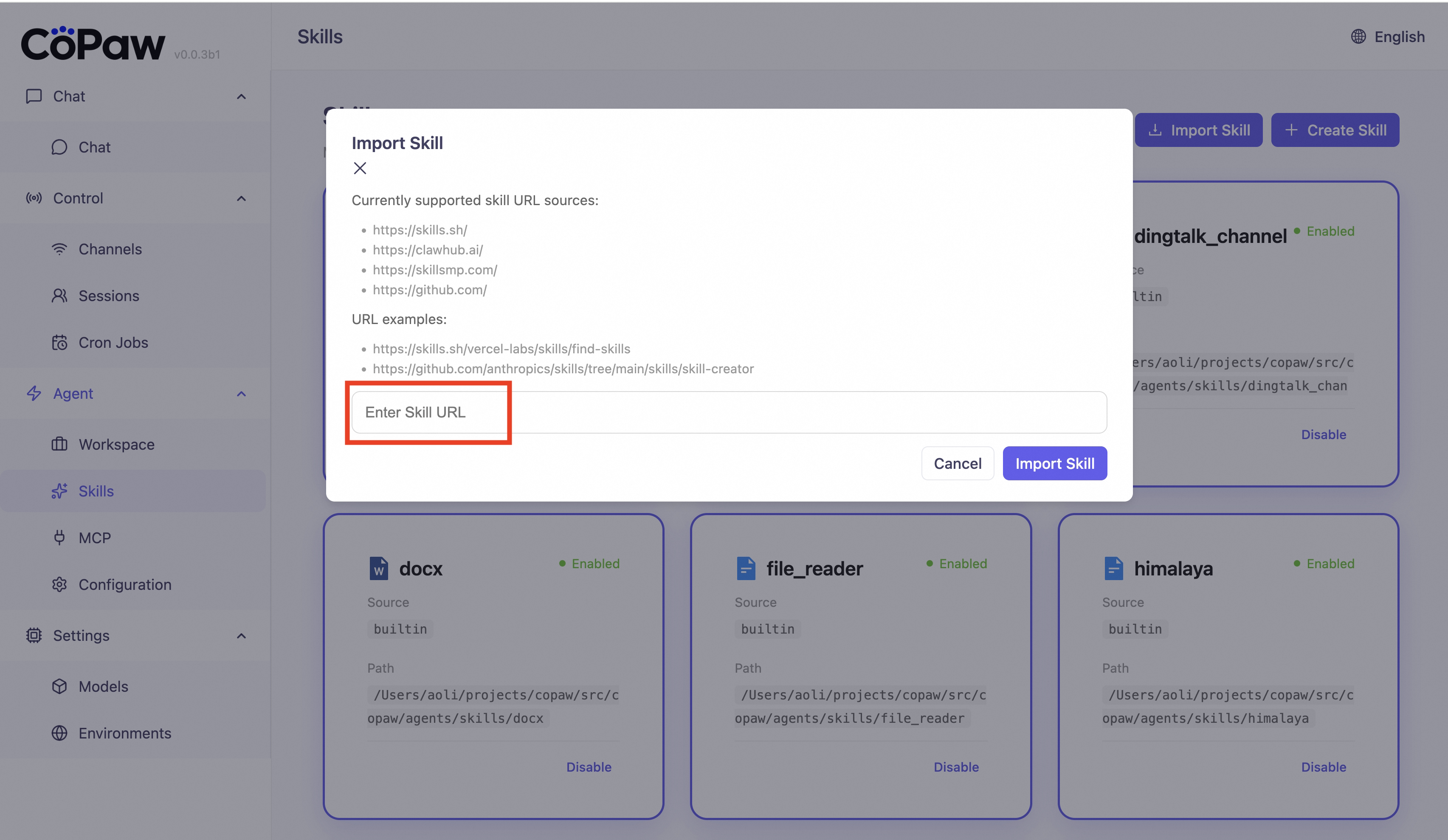
You can import skills from these URL sources in the Console:
https://skills.sh/...https://clawhub.ai/...https://skillsmp.com/...https://github.com/...
Steps
-
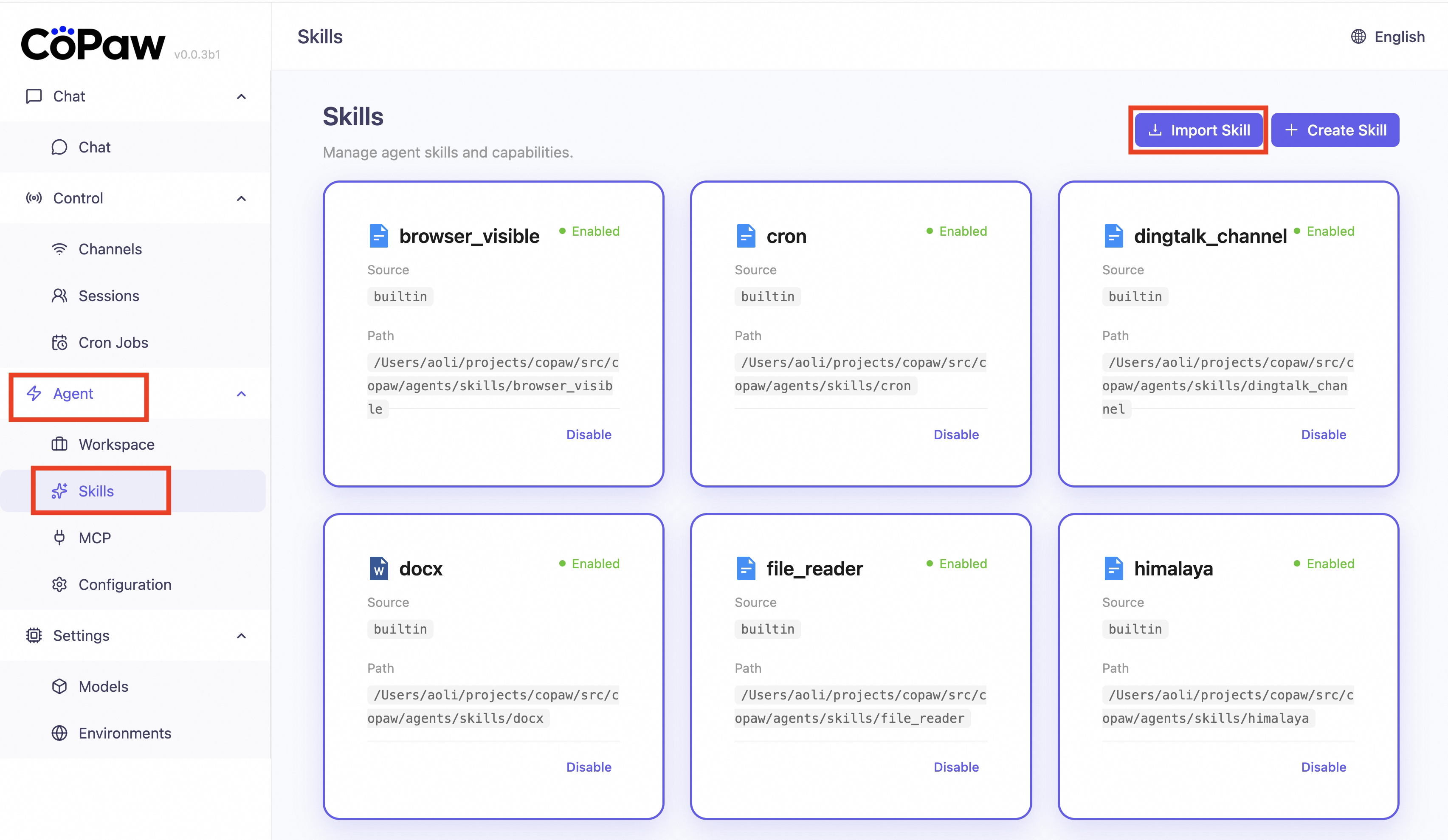
Open the Console → Agent → Skills, click Import Skills.
-
Paste a skill URL in the pop-up window (see the URL acquisition example below for the acquisition method).
-
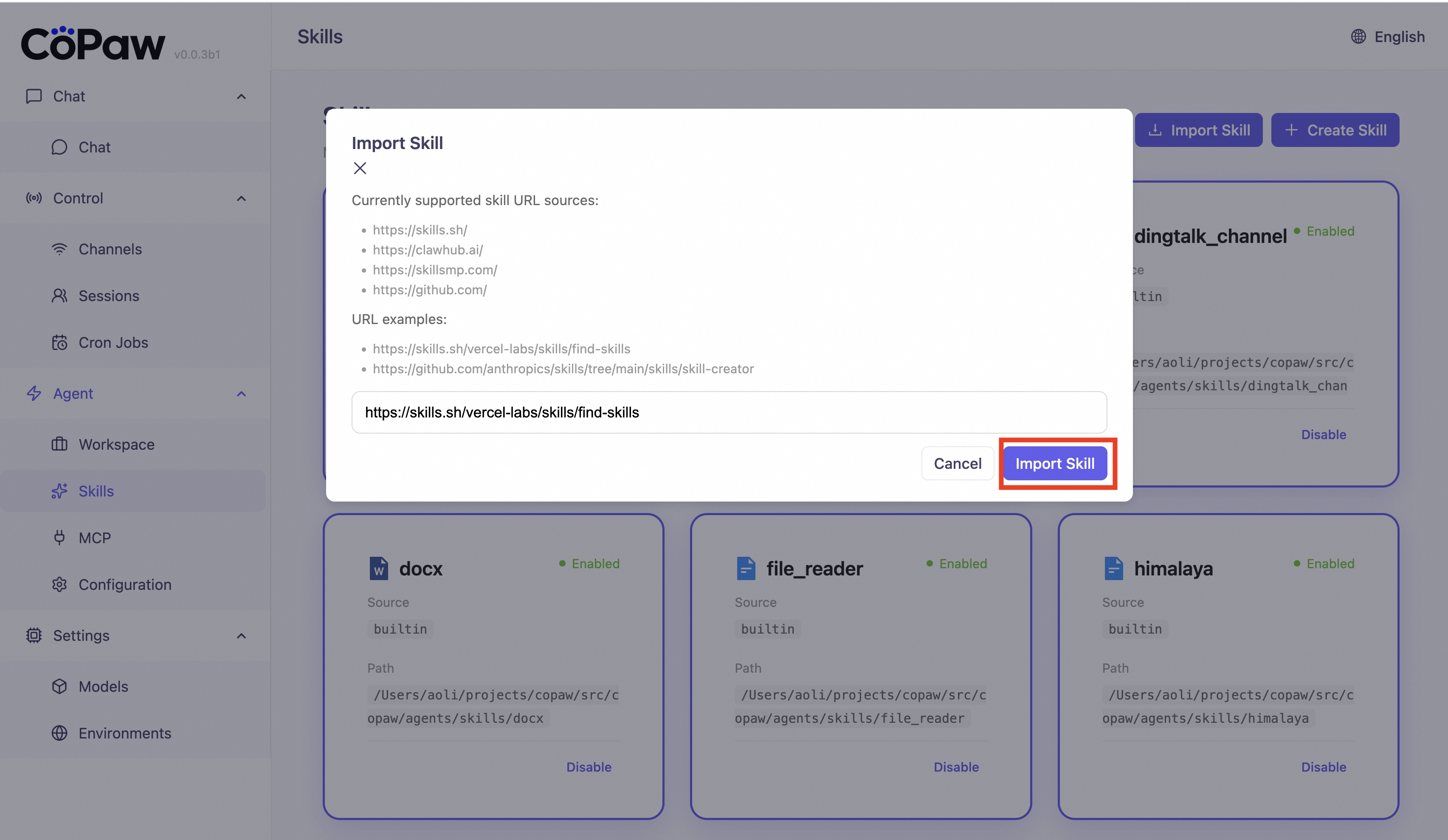
Confirm and wait for import to finish.
-
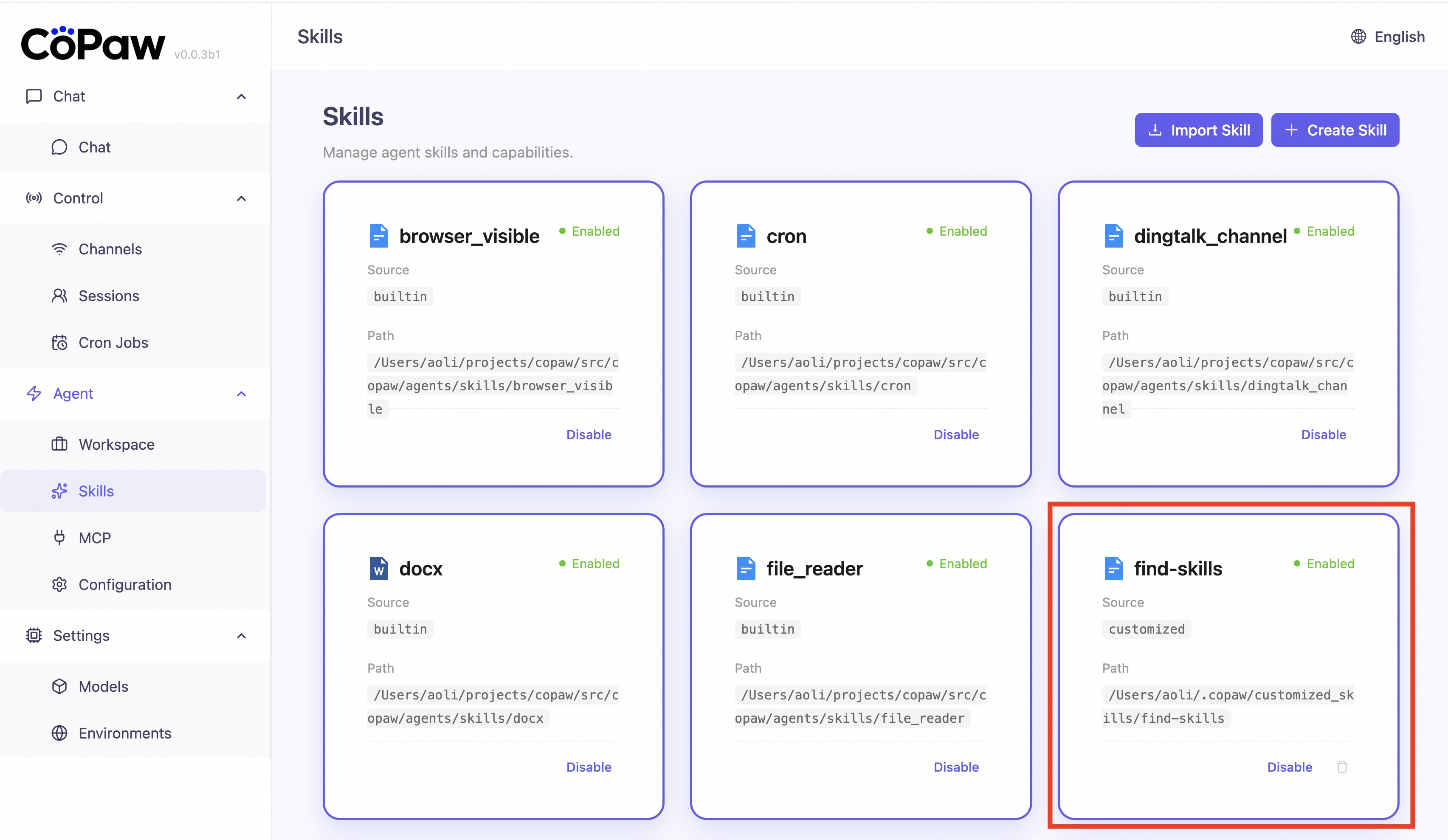
After a successful import, the newly added skills can be seen in the Skill list.
URL acquisition examples
-
Use
skills.shas an example (the same URL acquisition flow applies toclawhub.aiandskillsmp.com): openhttps://skills.sh/. -
Pick the skill you need (for example,
find-skills).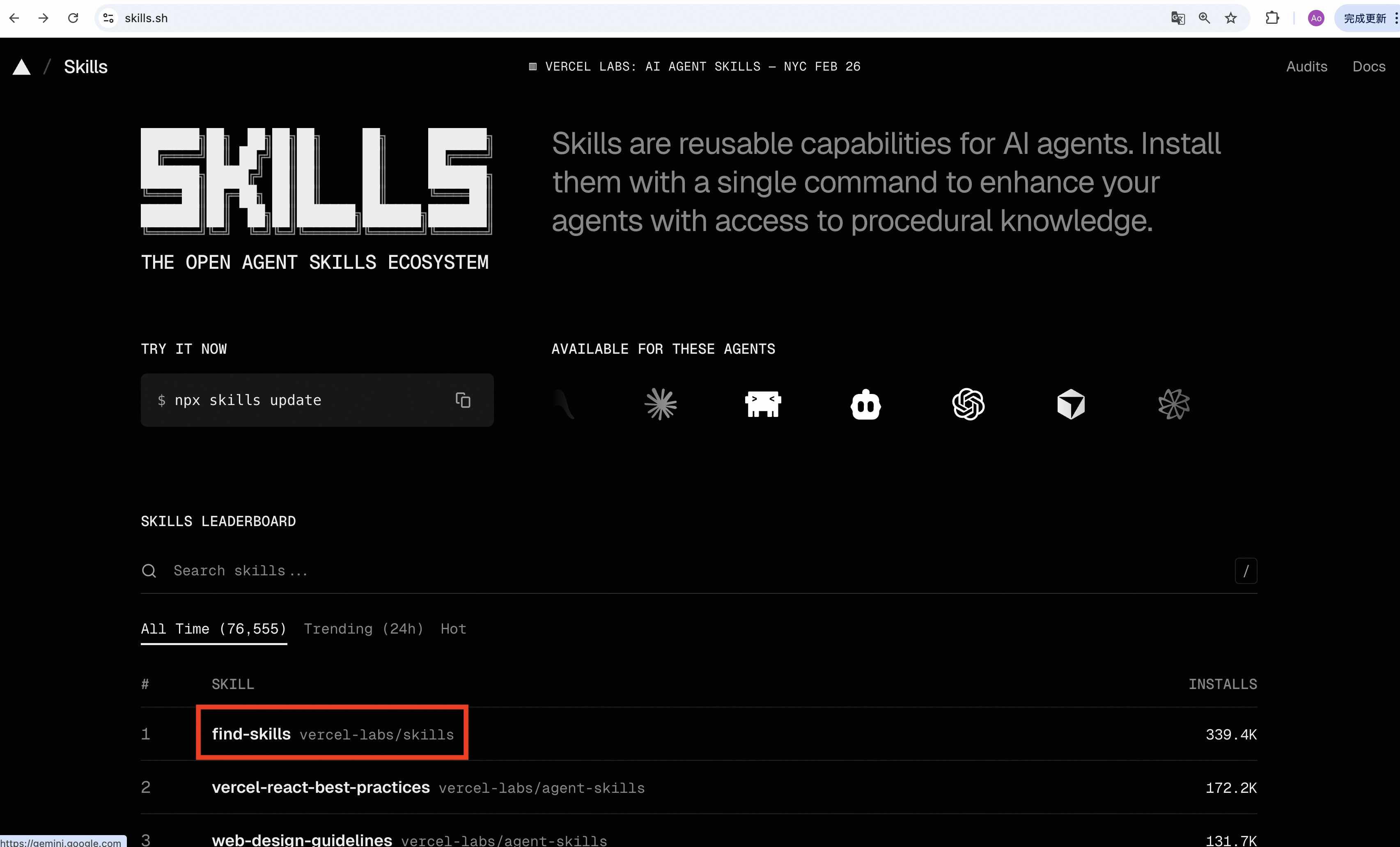
-
Copy the URL from the top address bar; this is the Skill URL used for import.
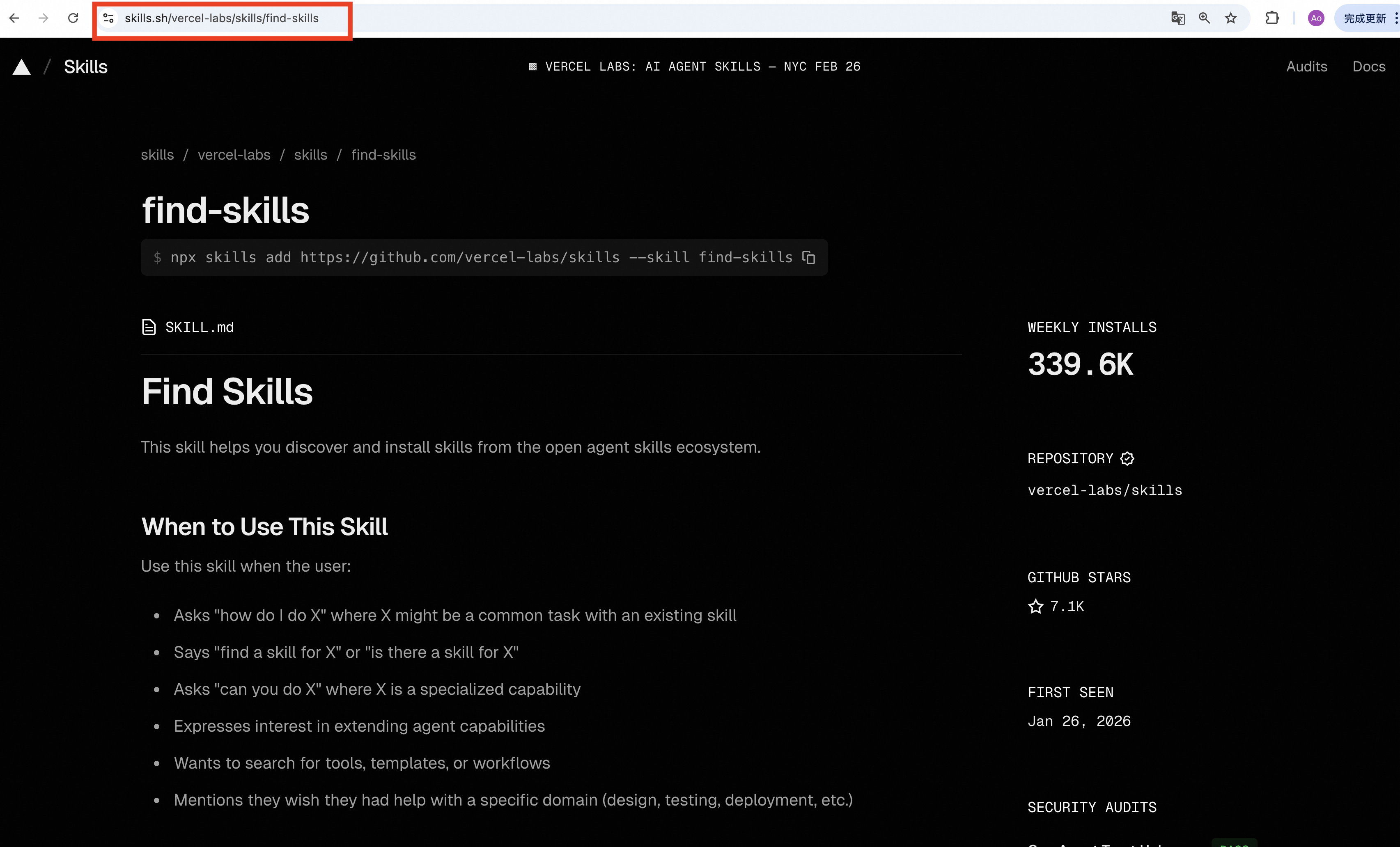
-
To import Skills from GitHub, open a page that contains
SKILL.md(for example,skill-creatorin the anthropics skills repo), then copy the URL from the top address bar.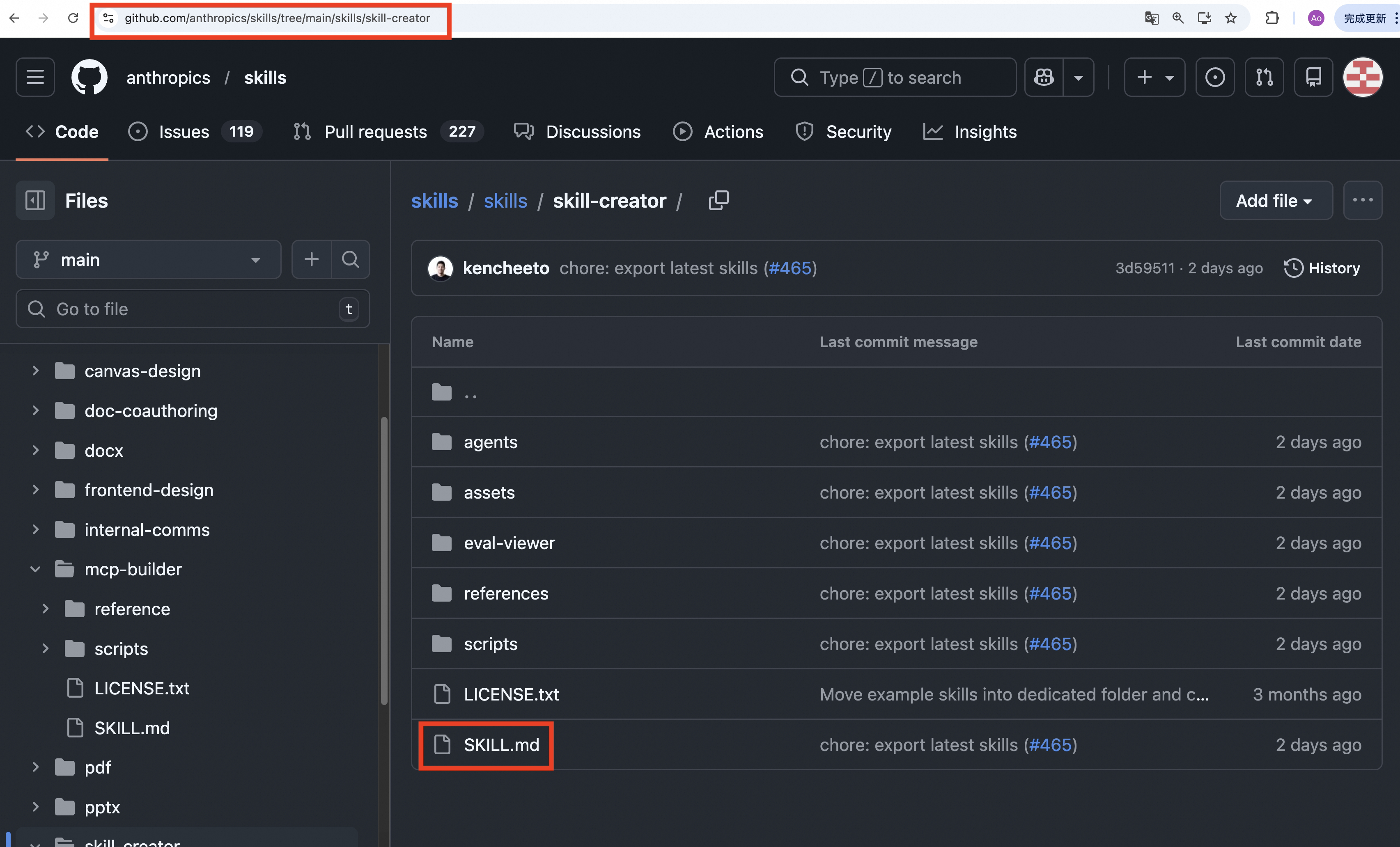
Notes
- If a skill with the same name already exists, import does not overwrite by default. Check the existing one in the list first.
- If import fails, first check URL completeness, supported domains, and outbound network access. If the network is unstable or GitHub rate-limits requests, add
GITHUB_TOKENin Console → Settings → Environments. See GitHub docs: Managing your personal access tokens.
Custom skills (in the working directory)
To add your own instructions or capabilities via the file system, add a custom skill under the customized_skills directory.
Steps
- Create a directory under
~/.copaw/customized_skills/, e.g.my_skill. - Add a
SKILL.mdfile in that directory. Write Markdown that describes the capability for the agent. You can optionally use YAML front matter at the top forname,description, andmetadata(for the agent or Console).
Directory layout example
~/.copaw/
  active_skills/        # Activated skills (merged from built-in + custom)
    cron/
      SKILL.md
    my_skill/
      SKILL.md
  customized_skills/    # User-created custom skills (add here)
    my_skill/
      SKILL.md
Example SKILL.md
---
name: my_skill
description: My custom capability
---

# Usage

This skill is used for…
On startup the app merges built-in skills with custom skills from ~/.copaw/customized_skills/ into ~/.copaw/active_skills/; custom skills take priority when names collide. Your custom directories are never overwritten; built-in skills are only copied to active_skills when missing.
Related pages
- Introduction — What the project can do
- Console — Manage skills and channels in the Console
- Channels — Connect DingTalk, Feishu, iMessage, Discord, QQ
- Heartbeat — Scheduled check-in / digest
- CLI — Cron commands in detail
- Config & working dir — Working dir and config